Bring your shot in.
Follow the guide to import a clip and prepare its brightness and color. Start with the basics, one step at a time.
Get the look you want. No color-grading experience needed.
Requires DaVinci Resolve Studio · One-time purchase
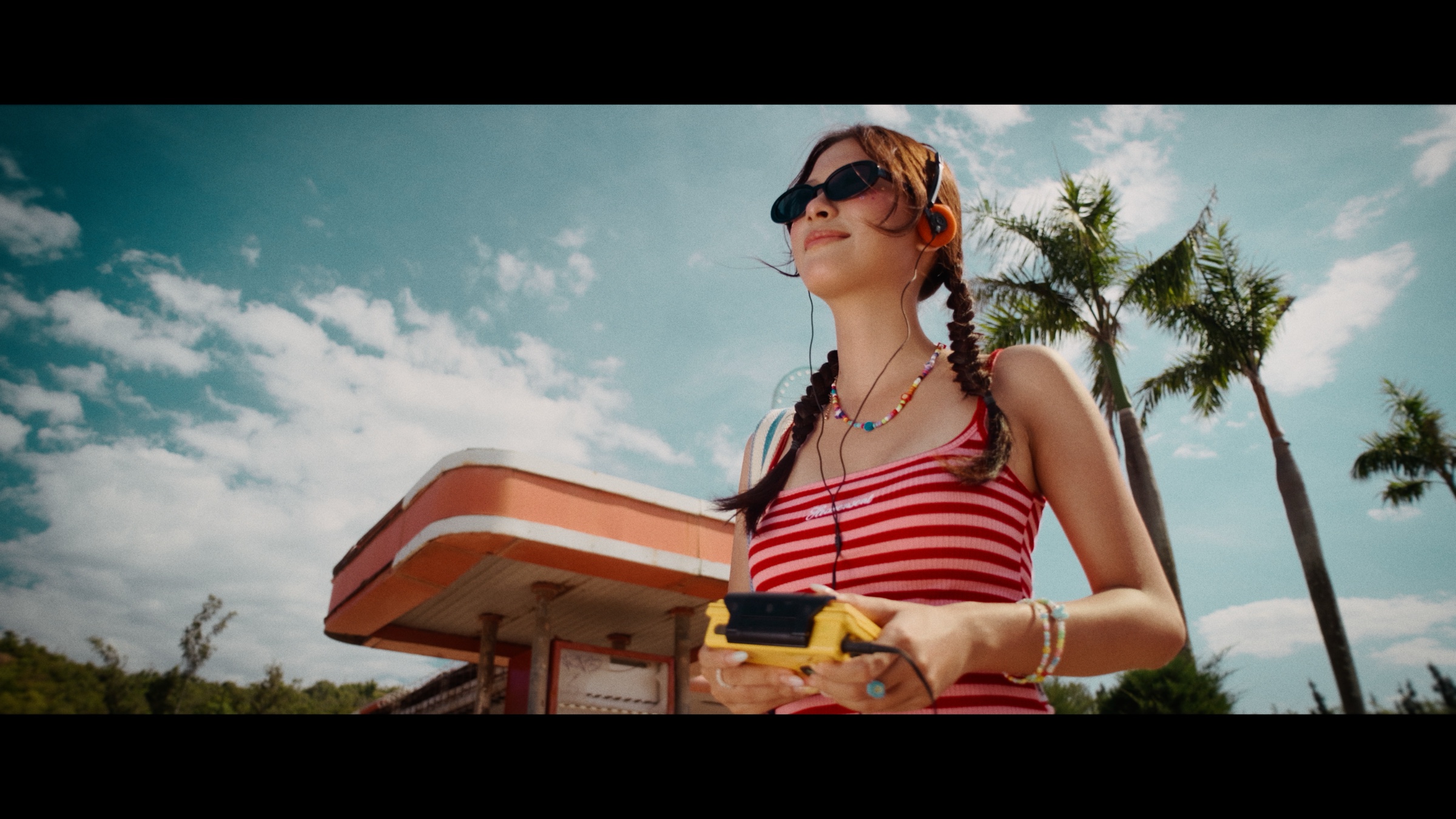
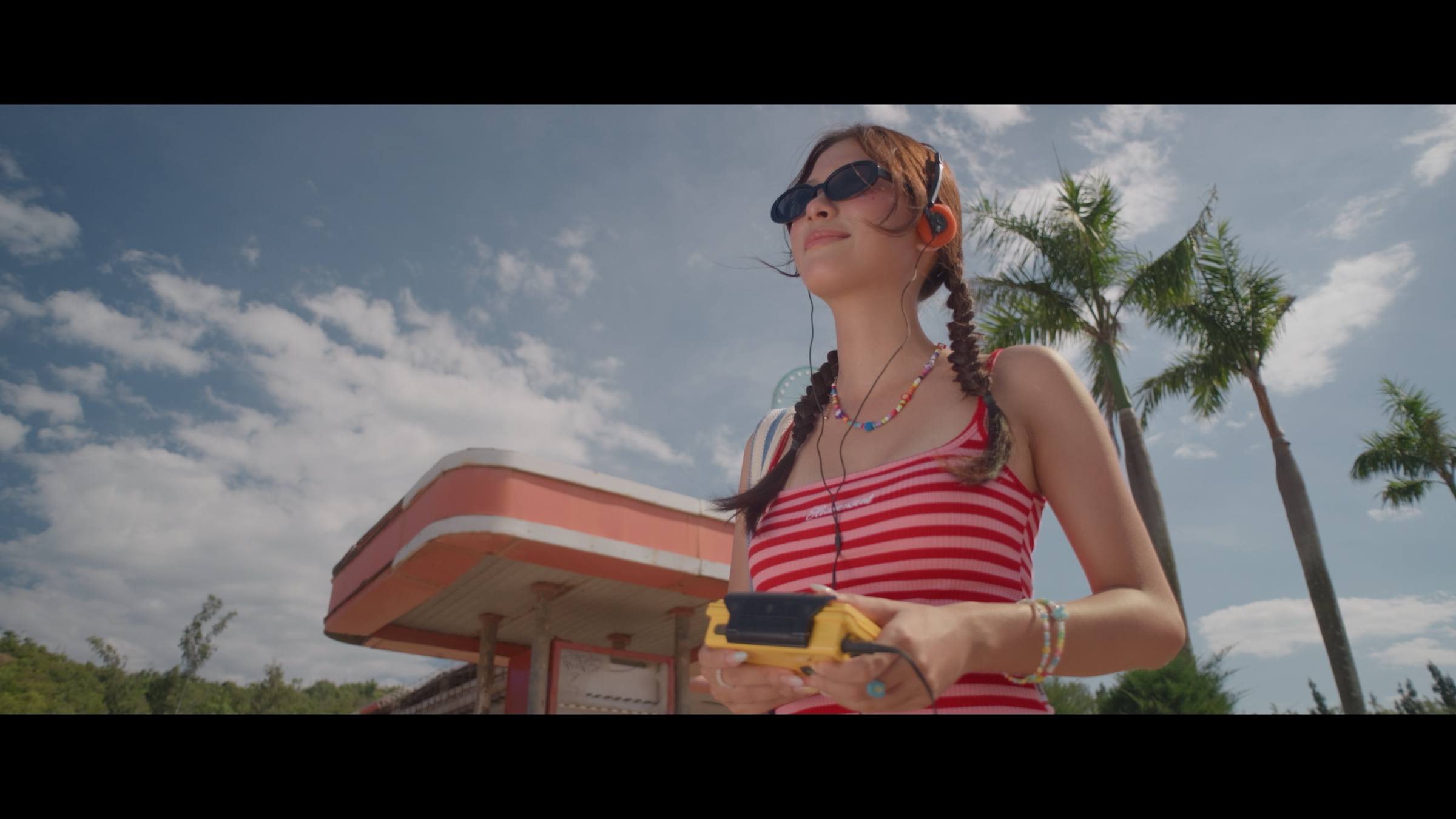
Choose a look below. Drag the slider or use the arrow keys to compare.
For editors, videographers, and creators. Even if you’re coming from Premiere Pro or Final Cut and Resolve feels unfamiliar.
Follow the guide to import a clip and prepare its brightness and color. Start with the basics, one step at a time.
Choose from six creative starting looks in JuicyGrade Essential 🧃. Start with the one that suits your shot.
Explore the looks ↗Adjust the strength, contrast, and color. Your look stays adjustable as you work toward a result you like.
Get both tools for the best value, or choose the one you need.
Shape your color. Finish with grain and lens character.
Save $27 compared with buying separately.
Explore the bundle ↗Instant access after confirmed payment · Keep your purchased versions
Creative looks, film presets, and control over tone and color.
Grain and lens character for your final image.
Focused control for skin tones and foliage. Still in development; not included in the current bundle.
JuicyGrade Essential 🧃 is free. Six looks, simple controls, and a first-grade guide. Estimated value: $99 USD.
Free download with your account · No card required
All tools require DaVinci Resolve Studio. Community membership is optional.
Join Color Grading Made Easy on Skool to ask questions, share your work, and keep learning alongside other creators.
No prior color-grading experience is needed. Start with the guided setup, prepare your shot, choose a look, and follow the adjustment lesson.
JuicyGrade 🧃 uses DCTL tools and requires DaVinci Resolve Studio, the paid edition. JuicyGrade Essential 🧃 itself is free with your verified account.
Yes, you can learn to grade in Resolve while keeping your familiar editor. Start by importing a single clip into Resolve. JuicyGrade 🧃 runs in Resolve Studio, not inside Premiere Pro or Final Cut Pro.
JuicyGrade Essential 🧃, its installation and first-grade guidance, and access to the free Color Grading Made Easy community. JuicyGrade Studio 🧃 is $147 and JuicyGrade Texture 🧃 is $47 individually. Together, the one-time bundle is $167 — save $27 compared with buying separately. Prices include VAT. Check each product page for current availability.
Create a free JuicyGrade 🧃 account and verify your email. Approved free downloads appear in your dashboard without Skool approval.
Your lighting, camera, exposure, and preparation influence the result. The guide helps you prepare your footage and adapt the look.
Use the support discussion inside the Skool community. Include your operating system, Resolve version, JuicyGrade 🧃 edition, and the step where you got stuck.
One-time payment. Two creative tools.